Disclosure: As an Amazon Associate, I earn from qualifying purchases. If you buy through links on this page, I may earn a small commission at no extra cost to you.
Logitech MX Master 3S Review 2026: Still the Best Mouse for Work?
The mouse is the most-used tool in most people’s working lives, and the most neglected. People will spend a fortune on a laptop and a monitor, then use the free mouse that came in the box, or a tiny travel mouse that cramps their hand by lunch. Then they blame their wrist, their shoulder, or their productivity, when the problem is the inch of plastic under their palm.
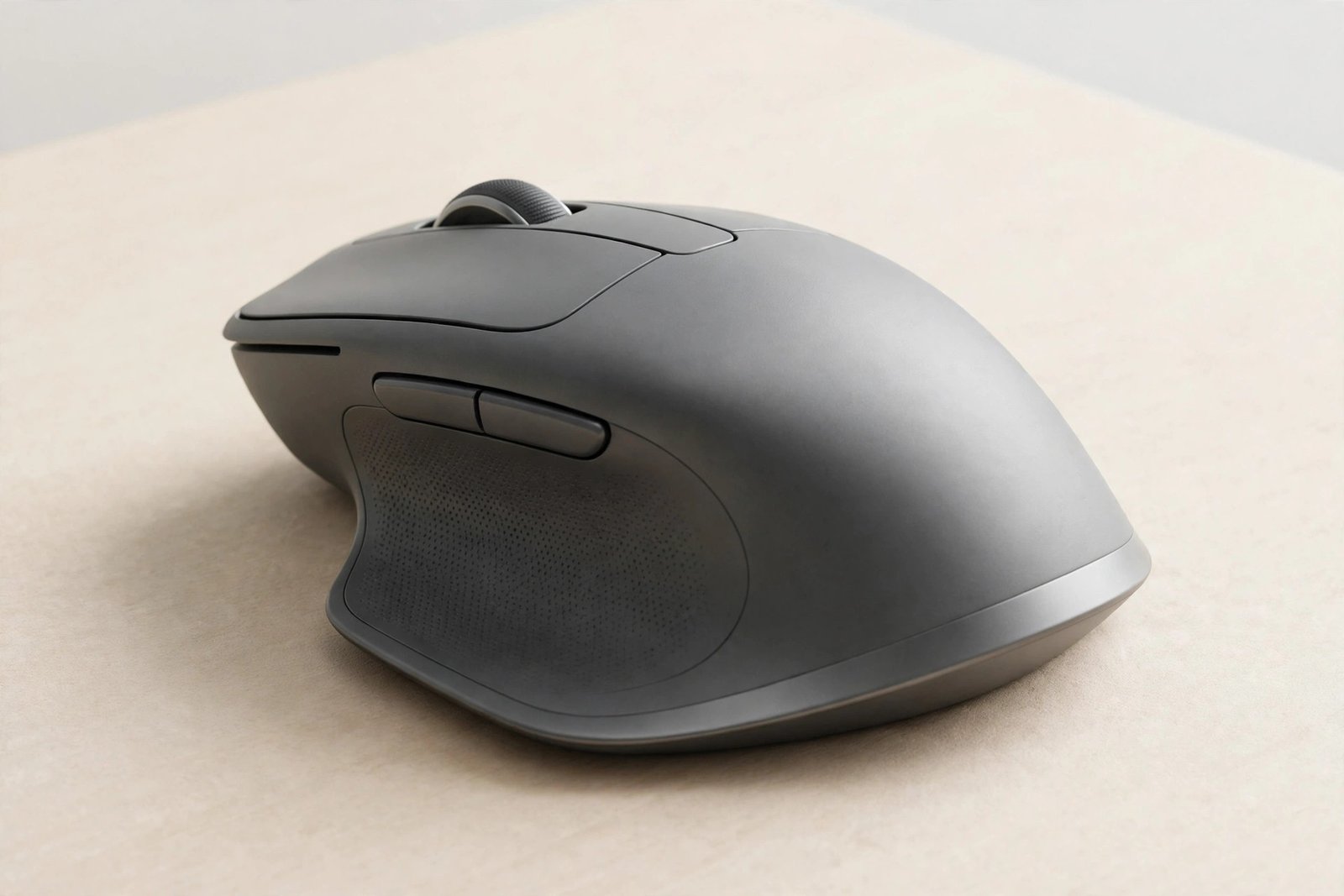
The Logitech MX Master 3S is the mouse that office workers, designers, editors and coders keep coming back to. It is sculpted for a real hand, not a generic one. It scrolls a thousand lines a second, clicks almost silently, tracks on glass, and runs for up to 70 days on a charge. It is not a gaming mouse, and it does not pretend to be one. It is a work mouse, refined to the point where using it feels like less work.
This review covers what makes the 3S different from every other mouse on your desk, where it falls short, the mistakes buyers make, and whether it is still the best work mouse in 2026.
Check the Latest Price on Amazon
Why Your Mouse Matters More Than Your Keyboard
You touch your mouse thousands of times a day. A mouse that fits your hand reduces strain, and a mouse with a great scroll wheel changes how you read documents, spreadsheets and timelines. The MX Master 3S is shaped for a natural wrist posture, with the thumb resting on a dedicated wheel and gesture button, so common actions become one motion instead of three. Over a workday, that adds up to real comfort and real speed.
Key Features of the MX Master 3S
8K DPI tracking on any surface, even glass
The 8000 DPI sensor tracks on virtually any surface, including glass at least 4mm thick. No more hunting for a mousepad on a glass desk or a hotel table. Sensitivity is customizable, so you can set fast movement for big monitors and fine control for design work.
MagSpeed scrolling: 1000 lines per second
The electromagnetic MagSpeed wheel scrolls up to 1000 lines per second, 90% faster and 87% more precise than a regular mouse wheel. Flick it and it free-spins through long documents; slow down and it clicks into precise ratchet steps. For spreadsheets, code, and timelines, it is transformative.
Quiet Clicks: 90% less click noise
Quiet Clicks deliver the same satisfying click feel with 90% less click noise. In open offices, libraries and late-night work sessions, your colleagues and family will notice the difference immediately, even if you forget it is there.
70-day battery and multi-device Flow
A full charge lasts up to 70 days, and one minute of USB-C charging gives three hours of use. Pair with up to three devices and switch between them with a button, or use Logitech Flow to move the cursor, and even copy and paste, between computers. The included Logi Bolt receiver and Bluetooth cover every setup.
MX Master 3S: Quick Specs
| Specification | Logitech MX Master 3S (Graphite) |
|---|---|
| Sensor | 8000 DPI, any-surface tracking (incl. glass 4mm+) |
| Scroll wheel | MagSpeed electromagnetic, 1000 lines/sec |
| Clicks | Quiet Clicks, 90% less noise |
| Battery | Up to 70 days; USB-C, 1 min = 3 hours |
| Connectivity | Bluetooth + Logi Bolt USB receiver |
| Devices | Up to 3, with Flow cross-computer control |
| Buttons | 7, incl. gesture button and thumb wheel |
| Weight | 141 g |
| Compatibility | Windows, macOS, Linux, Chrome OS, iPadOS, Android |
| Software | Logi Options+ customization |
| Warranty | 2-year limited hardware warranty |
Who the MX Master 3S Is Really For
- Office and knowledge workers: The core audience, and the people who benefit most.
- Designers and editors: Precise tracking, a thumb wheel for timelines, and app-specific profiles.
- Multi-device users: Laptop plus desktop, or Mac plus PC, switched with one button.
- Quiet-office workers: Quiet Clicks are a genuine courtesy feature.
Who Should Look Elsewhere
Gamers need a lighter mouse with higher polling rates; the 3S is not built for competitive gaming. Left-handed users should note the sculpted shape is right-handed only. And if you travel ultra-light, the 141-gram 3S is bulkier than a compact travel mouse, though many travelers accept the weight for the comfort.
Pros and Cons
Pros: Best-in-class ergonomics for right hands; MagSpeed scrolling is genuinely transformative; Quiet Clicks; 70-day battery; tracks on glass; three-device switching with Flow; deep Logi Options+ customization; included Logi Bolt receiver.
Cons: Right-handed only; too heavy for competitive gaming; not a travel mouse; full customization needs the Options+ app; the thumb wheel takes a week to become second nature.
Common Mistakes Buyers Make With Work Mice
Mistake 1: Never installing the app. Logi Options+ unlocks app-specific profiles, gesture controls and Flow. Without it, you own half the mouse.
Mistake 2: Judging the shape in five minutes. A sculpted mouse feels strange at first if you are used to a flat one. Give it a week; your wrist will tell you the truth.
Mistake 3: Buying the Bluetooth-only edition by accident. This standard edition includes the Logi Bolt receiver, which matters for computers with flaky Bluetooth. Check the edition before you buy.
Mistake 4: Using it as a gaming mouse. It is a work mouse. For gaming, buy a gaming mouse; for everything else, this is the one.

MX Master 3S vs Gaming Mice vs Travel Mice vs Cheap Office Mice
Gaming mice are lighter and faster but less comfortable for eight-hour days. Travel mice are portable but cramped. Cheap office mice do the job and nothing more. The MX Master 3S is the work specialist: shaped, weighted and tuned for the thing you actually do all day.
FAQ: Logitech MX Master 3S
Does the MX Master 3S work on glass?
Yes. The 8000 DPI sensor tracks on glass at least 4mm thick, as well as on wood, fabric and other surfaces.
How long does the battery last?
Up to 70 days on a full charge. One minute of USB-C charging gives about three hours of use.
Is it quiet?
Yes. Quiet Clicks reduce click noise by 90% compared with the MX Master 3, while keeping the same click feel.
Can it connect to multiple computers?
Yes. Pair up to three devices and switch between them, or use Logitech Flow to move between computers seamlessly.
Is it good for gaming?
Not really. It is designed for productivity. Competitive gamers should choose a dedicated gaming mouse.
Final Verdict: Should You Buy the Logitech MX Master 3S?
Yes, if you work at a computer all day and your hand deserves better than a free bundled mouse. The 3S is the rare peripheral that pays for itself in comfort and speed, and in 2026 it remains the work mouse to beat.
Check the Latest Price on Amazon
Top Related Picks
- Kindle Paperwhite (2024) Review 2026: Still the Best E-Reader? – the other desk-and-travel essential for readers.
- Apple AirTag Review 2026: Is This Tiny Tracker Still Worth It? – keep track of the bag this mouse travels in.
- Anker Nano 45W Power Bank Review 2026: The Retractable Cable Charger to Beat? – charge everything on that desk, cable-free.
📺 Watch Our Videos & Shop Our Picks
Enjoy our reviews and guides in video form, and shop the products we recommend - subscribe and never miss an upload.
🛒 Amazon One 🛒 Amazon Two 🛒 Amazon Three