Disclosure: As an Amazon Associate, I earn from qualifying purchases. If you buy through links on this page, I may earn a small commission at no extra cost to you.
You know the feeling. You are already late, keys in neither pocket, wallet not on the table, bag not where you left it. You retrace your steps, check the same three places twice, and lose ten minutes to a search that should have taken ten seconds. Multiply that by every week of the year and the humble lost item becomes one of the most expensive small problems in modern life, measured not in money but in stress and missed trains.
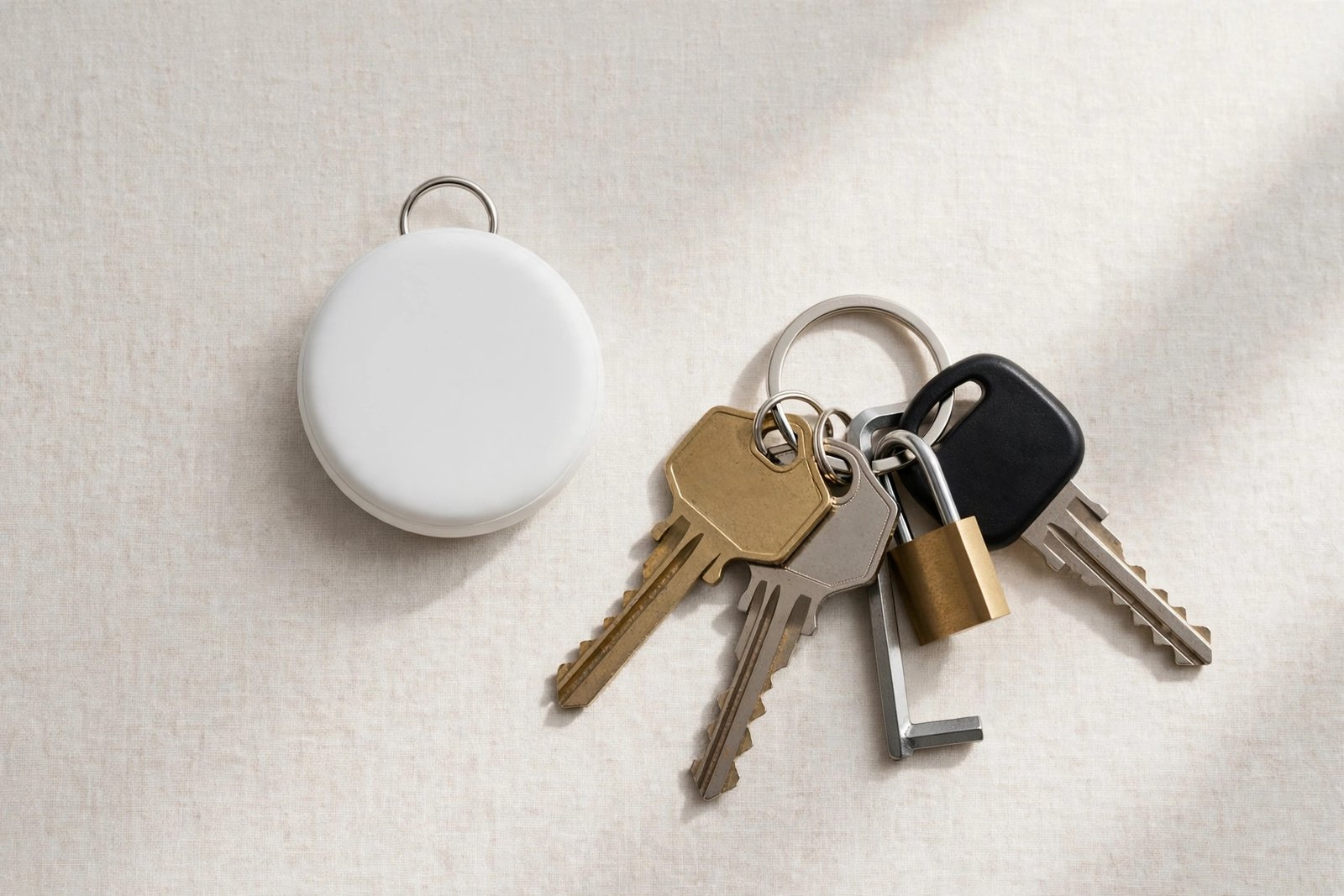
The Apple AirTag exists to end that search. It is a coin-sized disc that slips onto keys, into a wallet, or inside luggage, and lets your iPhone point you straight to it with Precision Finding, ring it when it is buried in a couch, or show its location on a map through the Find My network when it is miles away. There is no subscription, the battery lasts over a year, and setup takes about a minute. The catch is the ecosystem: it is an iPhone product through and through, and Android users get almost nothing from it.
This review covers how the AirTag actually finds things, where it shines, where it falls short, the privacy questions people ask, the mistakes buyers make, and whether the original single AirTag is still the one to buy in 2026.
👉 Check the Latest Price on Amazon
Why Item Trackers Went Mainstream
Keys, wallets, bags, luggage, remotes, even pets: the things we lose are the things we touch every day, and the cost of losing them keeps rising as bags get more expensive and travel gets more complicated. Bluetooth trackers used to be a niche gadget with a clunky app. Apple changed the game by building the tracker into the Find My network that already lives on every iPhone, iPad and Mac, so the tracker you buy today is backed by hundreds of millions of devices that can relay its location securely and anonymously, with no monthly fee.
Key Features of the Apple AirTag
Precision Finding with the U1 chip
When you are close to your AirTag, Precision Finding uses the Apple-designed U1 Ultra Wideband chip to guide you with on-screen arrows, distance and haptic feedback, straight to the exact spot. It is the difference between “it is somewhere in this room” and “it is under the second cushion from the left,” and it is the feature that converts skeptics.
The Find My network: location from anywhere
When your item is out of Bluetooth range, the Find My network takes over: nearby Apple devices detect the AirTag’s secure Bluetooth signal and relay its location to you, anonymously and encrypted, so nobody else can see it. This is how a bag left in an airport or a suitcase on the wrong flight becomes findable from your phone.
One-tap setup, no subscription
Hold the AirTag near your iPhone and it appears in the Find My app automatically, ready to name and assign to an item. There is no account to create, no app to learn, and no subscription to pay: the tracker works for free for as long as you own it, which is rare in a world where every gadget seems to rent itself back to you monthly.
Built-in speaker and Lost Mode
Tap “Play Sound” in the Find My app and the AirTag’s built-in speaker rings loudly enough to hear from another room or under a pile of mail. Lost Mode goes further: if someone finds your item, they can tap the AirTag with an NFC-capable phone and see a message with your contact details, while you get notified of its location.
Over a year of battery, replaceable in seconds
The AirTag runs on a standard CR2032 coin cell battery that lasts over a year, and your iPhone warns you when it is time to replace it. Swapping the battery takes seconds: twist the back cover, drop in a new cell, twist back. No charging cables, no dead-tracker surprises.
Apple AirTag: Quick Specs
| Specification | Apple AirTag (1st Generation, Single) |
|---|---|
| Chip | Apple U1 Ultra Wideband chip |
| Finding | Precision Finding (arrows + distance + haptics) |
| Network | Find My network (hundreds of millions of Apple devices) |
| Sound | Built-in speaker, Play Sound from Find My app |
| Lost Mode | NFC tap shows finder message; owner notified |
| Battery | User-replaceable CR2032 (included); over 1 year |
| Durability | IP67 water and dust resistant |
| Size | 1.26″ diameter x 0.31″ tall |
| Weight | 0.39 oz |
| Sharing | Share with up to 5 people |
| Subscription | None |
| Setup | One-tap with iPhone or iPad |
Who the AirTag Is Really For
iPhone owners who lose keys and wallets: This is the core buyer, and the payoff is immediate: the daily search becomes a ten-second task.
Travelers: An AirTag in checked luggage turns airport anxiety into a map pin, and sharing with family means everyone can watch the bag.
Parents and pet owners: Bags, backpacks and pet collars (with a holder) are all trackable.
Gift buyers: A single AirTag is one of the most universally useful small gifts for any iPhone owner.
Who Should Look Elsewhere
Android users should not buy an AirTag: without an iPhone, you get no Precision Finding, no Find My map, and no setup. Tile and other cross-platform trackers are the right choice there. If you need real-time GPS tracking for a car or a child, a Bluetooth tracker is the wrong tool: it locates items through nearby devices, not satellites. And if you need a tracker with its own keyring hole, note the AirTag has none: you will need a holder or keychain accessory.
Pros and Cons
Pros: Precision Finding that genuinely guides you to the item; massive Find My network with no subscription; one-tap iPhone setup; loud built-in speaker; Lost Mode with NFC; over a year of battery on a cheap replaceable cell; IP67 water and dust resistance; shareable with up to 5 people.
Cons: iPhone-only in any meaningful sense; no keyring hole, so a holder is an extra purchase; not a GPS tracker, so it cannot track in real time far from other Apple devices; anti-stalking alerts can occasionally confuse legitimate sharing; the polished steel back scratches easily.
Common Mistakes Buyers Make With AirTags
Mistake 1: Buying one when you need four. Keys, wallet, bag and luggage are four different items, and a single AirTag can only track one of them. The 4-pack is the better value for most households, even if you start with one to test the idea.
Mistake 2: Forgetting the holder. The AirTag is a smooth disc with no hole. Without a keyring holder, a loop or an adhesive mount, it will slide out of pockets and off keyrings. Budget for a holder in the same order.
Mistake 3: Expecting live GPS tracking. An AirTag updates its location when a nearby Apple device detects it, not continuously by satellite. In a city or an airport that is effectively constant; in a remote area with no Apple devices nearby, updates are slower.
Mistake 4: Ignoring the battery warning. Your iPhone tells you when the CR2032 is low. Replace it promptly, because a dead tracker is just a coin, and CR2032 cells cost almost nothing.

Apple AirTag vs Tile vs Samsung SmartTag
Tile works on both iPhone and Android and has trackers with built-in keyring holes and louder speakers on some models, but its finding network is far smaller than Apple’s, so lost-item recovery outside cities is weaker. Samsung SmartTag is excellent for Samsung phone owners and integrates with SmartThings, but it is useless on iPhones. AirTag wins outright for iPhone owners because of the Find My network’s sheer size, Precision Finding, and zero subscription; for everyone else, Tile is the cross-platform answer.
FAQ: Apple AirTag
Does the AirTag need a subscription?
No. There is no subscription of any kind. The Find My network is free, and the only ongoing cost is a CR2032 battery roughly once a year.
Can I track my AirTag from an Android phone?
Not meaningfully. Setup, Precision Finding and the Find My map all require an Apple device. Android users should choose Tile or another cross-platform tracker.
How long does the AirTag battery last?
Over a year on the included CR2032 coin cell, and your iPhone alerts you when it is time to replace it. Swapping the battery takes seconds.
Can someone use an AirTag to track me?
Apple built in anti-stalking protections: an unknown AirTag traveling with you triggers an alert on your iPhone, and a separated AirTag plays a sound. These protections are a genuine strength of the system.
Does the AirTag have a keyring hole?
No. You need a separate holder, keychain or loop accessory to attach it to keys or bags. Factor that small extra cost into your purchase.
Final Verdict: Should You Buy the Apple AirTag?
If you own an iPhone, yes, and probably more than one. The AirTag is one of those rare products that solves a daily annoyance completely, for a small one-time cost, with no subscription and a battery you change once a year. It will not replace GPS tracking and it will not help Android users, but for the iPhone owner who loses keys, bags or luggage, it is the easiest recommendation in Apple’s entire accessory lineup.
👉 Check the Latest Price on Amazon
Top Related Picks
- Apple AirPods Pro 2 Review 2026: Still the Best Wireless Earbuds? – the other essential Apple accessory for daily carry.
- BLAVOR Solar Power Bank Review 2026: Best Rugged Charger for Camping? – power for the same travel kit your AirTag protects.
- Kindle Paperwhite (2024) Review 2026: Still the Best E-Reader? – the travel companion that pairs perfectly with tracked luggage.