Disclosure: As an Amazon Associate, I earn from qualifying purchases. If you buy through links on this page, I may earn a small commission at no extra cost to you.
Roku Streaming Stick 4K Review 2026: Still the Best Budget Streamer?
Smart TVs have a dirty secret: their built-in software gets slow, their apps stop updating, and within a few years the “smart” part feels anything but. The fix costs far less than a new television. A streaming stick plugs into an HDMI port and gives any TV a fast, modern interface, and the Roku Streaming Stick 4K has been the budget pick for years.
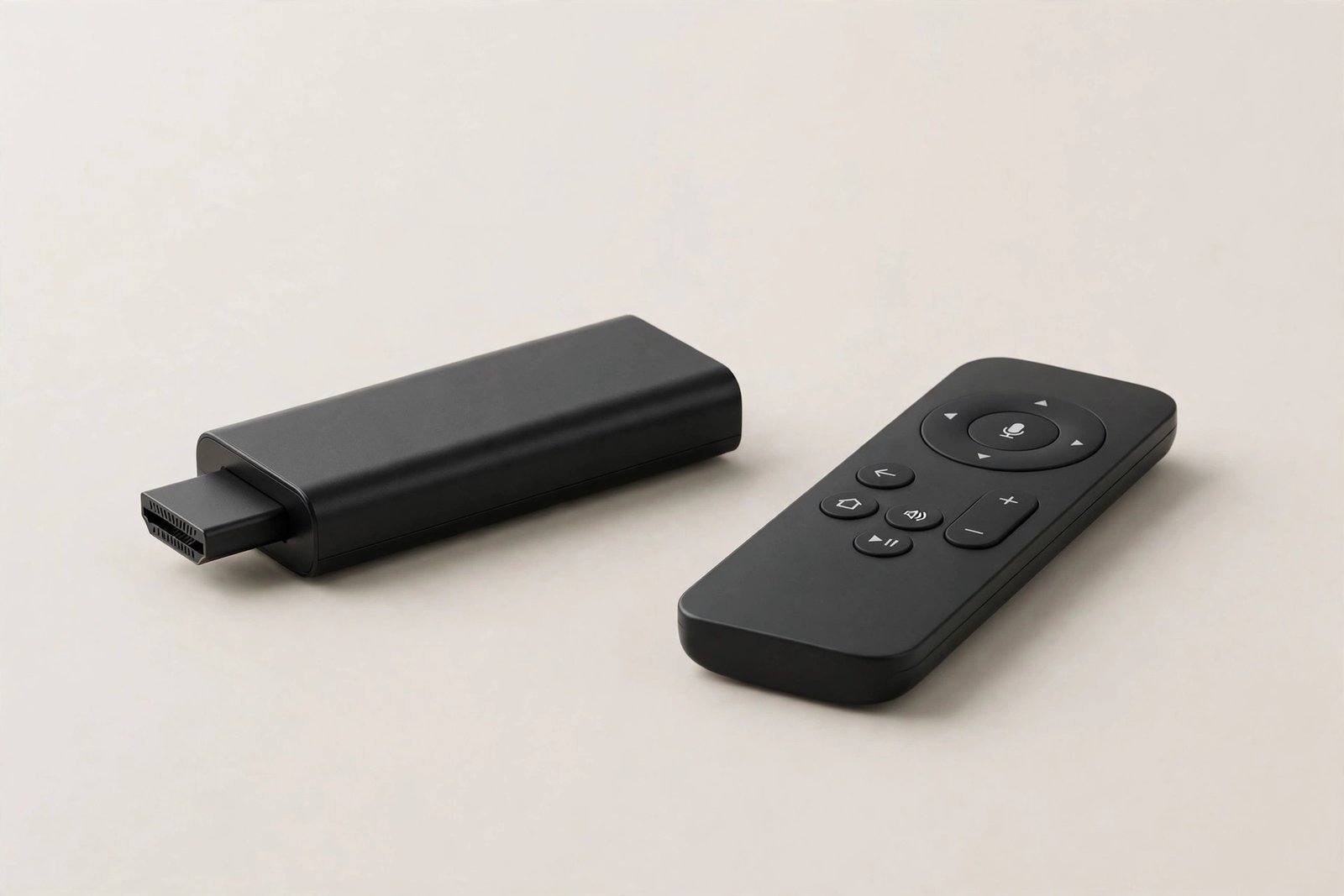
It streams in 4K with HDR10+ and Dolby Vision, connects over a long-range Wi-Fi receiver that hides behind the TV, and comes with a voice remote that controls your TV’s power and volume too. It also opens the door to more than 500 free live TV channels, so cord-cutters can watch plenty without a single subscription.
This review covers how the Roku Stick 4K performs, what the free channels really offer, where it falls short, the mistakes buyers make, and whether it is still the best budget streamer in 2026.
👉 Check the Latest Price on Amazon
Why a Stick Beats a Smart TV
Television makers treat software as an afterthought, and they stop updating it long before the panel wears out. A streaming stick flips that: the TV just displays the picture, while the stick handles apps, updates, and speed. When the stick eventually ages, you replace a small inexpensive device, not a whole television. For older TVs, spare bedrooms, and dorm rooms, it is the cheapest meaningful upgrade you can make.
Key Features of the Roku Streaming Stick 4K
Real 4K picture: HDR10+ and Dolby Vision
The stick outputs sharp 4K resolution with HDR10+ and Dolby Vision support, so compatible shows and movies get brighter highlights, deeper shadows, and richer colour. On a 4K TV, the difference over an old built-in app is immediately visible.
Long-range Wi-Fi receiver
A long-range Wi-Fi receiver helps the stick hold a strong connection even when the router is in another room. The stick itself hides behind the TV, so there is no box on the shelf and no extra clutter.
Voice remote with TV controls
The included voice remote searches across apps by voice, so finding a show means saying its name instead of typing it. It also controls your TV’s power and volume, which means one remote on the coffee table instead of two.
More than 500 free live channels
Roku’s free live TV offering includes more than 500 channels spanning news, movies, sports, and classic shows. For cord-cutters, that is a genuine library of watchable television with no subscription attached.
Tiny, light, and travel-friendly
At just 3.7 by 0.8 by 0.45 inches and 0.9 ounces, the stick is barely bigger than a USB drive. It travels easily, so hotel TVs and a second home get the same Roku experience as your living room.
Roku Streaming Stick 4K: Quick Specs
| Specification | Roku Streaming Stick 4K |
|---|---|
| Resolution | 4K with HDR10+ and Dolby Vision |
| Connectivity | Long-range Wi-Fi receiver |
| Remote | Voice remote with TV power and volume controls |
| Free content | 500+ free live TV channels |
| Dimensions | 3.7 x 0.8 x 0.45 inches |
| Weight | 0.9 oz |
Who the Roku Stick 4K Is Really For
Owners of slow smart TVs: It replaces a lagging interface with a fast one. Cord-cutters: Hundreds of free channels plus every major streaming app. Second-TV households: Bedrooms, kitchens, and guest rooms get 4K streaming cheaply. Travelers: The tiny stick goes anywhere a TV has an HDMI port.
Who Should Look Elsewhere
If you are deep in the Apple ecosystem and want AirPlay everywhere, an Apple TV fits better. If you need hands-free voice control without picking up the remote, a stick with a far-field assistant may suit you more. And if your TV already runs fast and gets updates, a stick adds less value.
Pros and Cons
Pros: True 4K with HDR10+ and Dolby Vision; simple, fast Roku interface; voice remote controls the TV too; 500+ free live channels; long-range Wi-Fi; tiny and portable; excellent value.
Cons: No hands-free voice control; Roku’s interface shows ads on the home screen; no Ethernet port for wired purists; some advanced features live on pricier Roku models.
Common Mistakes Buyers Make With Streaming Sticks
Mistake 1: Plugging it into a bad HDMI port. Use a port that supports 4K and HDR, or the picture will never reach its best.
Mistake 2: Ignoring the Wi-Fi receiver placement. Let the receiver hang clear of the TV’s back panel for the strongest signal.
Mistake 3: Paying for channels you could watch free. Check Roku’s free live channels first; many shows you pay for elsewhere are already there.
Mistake 4: Forgetting the remote controls the TV. Pair the power and volume controls during setup and retire the second remote.

Roku Stick 4K vs Fire TV Stick 4K vs Chromecast
The Fire TV Stick 4K is the better pick for Alexa households and Amazon Prime devotees. Chromecast suits people who cast from phones constantly. The Roku Stick 4K wins for simplicity: the cleanest interface, the best free-channel library, and a remote anyone in the family can use without a tutorial.
FAQ: Roku Streaming Stick 4K
Does it work with any TV?
Yes, any TV with an HDMI port. A 4K TV shows the full benefit, but it works fine on older HD TVs too.
Do I need a subscription?
No. Roku itself needs no subscription, and its 500+ free live channels cost nothing. Paid apps like Netflix are optional.
Can the remote control my TV?
Yes. The voice remote controls TV power and volume once paired during setup.
Is it really portable?
Yes. At under an ounce, it slips into a bag and works on any TV with HDMI and Wi-Fi.
What is the difference from a Roku box?
The stick hides behind the TV and costs less, while delivering the same 4K streaming experience.
Final Verdict: Should You Buy the Roku Streaming Stick 4K?
Yes, if you want the simplest, cheapest way to make any TV feel new. The 4K picture is genuinely good, the remote does it all, and the free channels alone justify it for cord-cutters. In 2026, it remains the default budget streamer recommendation.
👉 Check the Latest Price on Amazon
Top Related Picks
- Fire TV Stick 4K 2026 Review: Vega OS Worth It? – the Alexa-household alternative to compare before you decide.
- Kindle Paperwhite 2024 Review 2026 – another screen upgrade for your downtime, for reading instead of watching.